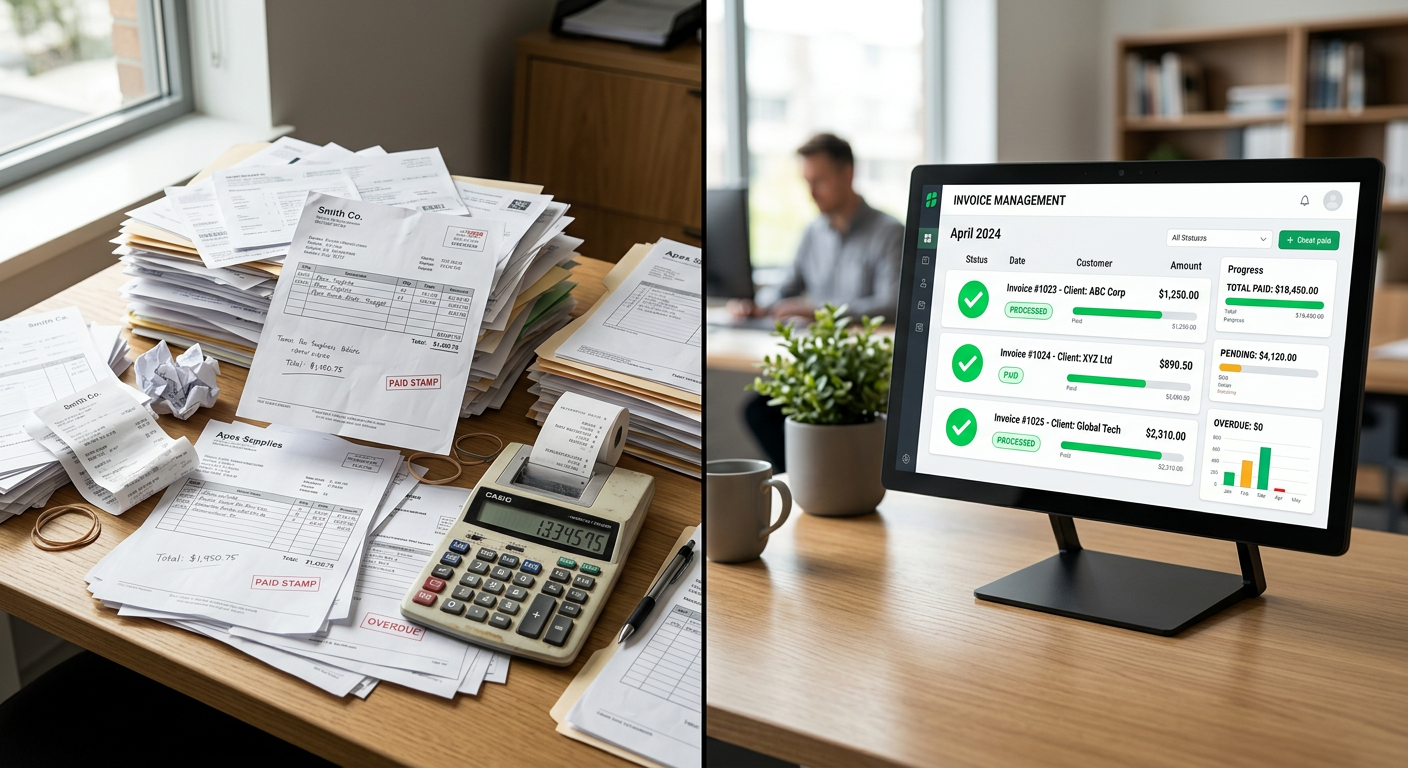
To automate purchase order matching, you use AI-driven document extraction to read data from invoices and POs, compare the line items, and flag discrepancies for a human to review. The process replaces manual data entry by sitting beside your existing accounting software to identify mismatches in quantity or pricing before any data enters your system of record.
We build workflow automation for small business around the tools you already use.
How does automated PO matching work for service businesses?
Automated matching works by using specialized software to scan incoming invoices and pull out specific data points like PO numbers, quantities, and unit prices. The system then queries your existing database to find the corresponding purchase order and checks if the numbers align. If the invoice matches the PO within your allowed tolerances, the data is prepped for a human to give a final "OK" before it is posted. If there is a mismatch, the system flags the error so your team can resolve it immediately rather than catching it weeks later during an audit.
For most trades and property management companies, this means your staff no longer spends hours typing vendor names and item codes into a screen. Instead, they look at a dashboard where the AI has already lined up the paperwork. This is often handled through an invoice workbench that acts as a staging area, ensuring your primary accounting software remains clean and accurate.
What are the main benefits of automating this workflow?
The primary benefit is the recovery of time and the elimination of double-entry errors that lead to overpayment. When a human manually checks a stack of fifty invoices against fifty POs, it is easy to miss a $20 discrepancy in a line item or a duplicate billing for the same service. AI does not get tired and does not skip lines; it validates every character on every page every time.
- Time Recovery: Reducing the time spent on manual data entry allows your office staff to focus on high-value tasks like customer service or scheduling.
- Accuracy: The system catches rounding errors, incorrect unit prices, and missing line items that human eyes often gloss over.
- Fraud Prevention: By strictly matching every invoice to a valid, open PO, you significantly reduce the risk of paying unauthorized or fraudulent invoices.
- Scalability: You can double your invoice volume without needing to hire additional administrative staff to handle the paperwork.
A product distributor saves 50–75 hours a month on invoices and purchase orders prepared for human review. Results depend on the work being automated.
Does the AI automatically approve and pay my bills?
No, the AI does not auto-approve payments or independently move money. A human must always review the matched data and provide final approval before any information enters your system of record or triggers a payment process. We build these systems to sit beside your existing tools, providing a "second set of eyes" rather than taking over the financial decision-making process.
It is helpful to think of this as a highly efficient prep-cook for your accounting department. The AI gathers the ingredients (data), cleans them (validation), and lays them out on the counter (the workbench). Your bookkeeper or office manager is the head chef who decides if the dish is ready to be served. This "human-in-the-loop" design ensures that you maintain full control over your cash flow and vendor relationships.
Where does the process typically fail?
The most common failure point is poor data quality on the original purchase order or the vendor's invoice. If a technician creates a vague PO that says "plumbing parts" instead of listing specific quantities and prices, the AI has nothing concrete to match against. Similarly, if a vendor sends a blurry, handwritten photo of a receipt instead of a digital invoice, the extraction accuracy will drop significantly.
Another challenge is handling "split shipments" or partial fulfillments. If you order ten water heaters but the vendor only invoices for three, the system must be smart enough to track the remaining balance on the PO. While AI can read invoices and purchase orders accurately, your internal processes for issuing POs must be consistent for the automation to provide the most value.
What should I look at before deciding to automate?
Before investing in automation, you should evaluate your current volume of invoices and the complexity of your matching rules. If you only process five invoices a week, the time savings may not justify the setup. However, for service businesses with high volumes of vendor interactions—like HVAC or property management—the math changes quickly.
| Feature | Manual Matching | Automated Matching |
|---|---|---|
| Data Entry | Manual typing of all fields | AI extraction and prep |
| Validation | Visual spot-checks | 100% line-by-line comparison |
| Error Catching | Relies on human memory | Instant flag of discrepancies |
| Review Process | Slow and repetitive | Review-by-exception (only check errors) |
Is this the right fit for my business?
This technology is an excellent fit for businesses that deal with a high volume of recurring vendor invoices and use a formal purchase order system. If your HVAC technicians are frequently picking up parts from supply houses, or if your property management firm handles hundreds of work orders a month, the administrative overhead of matching those slips to your records is a prime candidate for automation. In these environments, an HVAC service ticket averages $400-$1,200, and losing track of even a few percentage points in overcharges can significantly impact your margins.
However, if your business operates primarily on verbal agreements without formal POs, or if every single purchase you make is unique and non-standard, you should fix your internal procurement process first. Automation thrives on patterns and rules. Without a standardized way of buying things, the AI will spend more time flagging exceptions than it will saving you time.
If you are ready to stop the manual data entry and want to see how these systems integrate with your specific tools, the first step is a conversation about your current workflow. We focus on building tools that sit quietly in the background, making your existing team more effective without adding complexity to their day.
By Jon Pfeiffer, Founder of Pfeiffer Digital
Jon Pfeiffer is the founder of Pfeiffer Digital in Oconomowoc, Wisconsin. Before that he led partnerships and customer success at StellarAlgo, a data platform for pro sports teams, and OwnBackup, and ran customer success and sales at Quicket Solutions.
Frequently Asked Questions
What is automated purchase order matching?
Automated PO matching uses AI to extract data from invoices and compare it against your purchase orders. It identifies discrepancies in quantity, price, or item codes. If the data matches your rules, it is presented to a human for final approval before entering your accounting system. It eliminates the need for manual data entry and catches errors that are often missed by tired eyes.
Will the AI automatically pay my vendors?
No. A human-in-the-loop system ensures that all AI-matched documents are staged in a workbench for a person to review. The AI flags the errors and organizes the data, but it does not have the authority to move money or final-approve an invoice. This keeps you in total control of your cash flow while removing the grunt work.
Can AI handle handwritten or messy invoices?
Most systems can handle various formats, including PDFs, scanned paper, and digital invoices. However, the quality of the match depends on the quality of your internal purchase orders. If your technicians create clear, itemized POs, the AI can match them with extremely high accuracy. Consistency in your procurement process is key to successful automation.