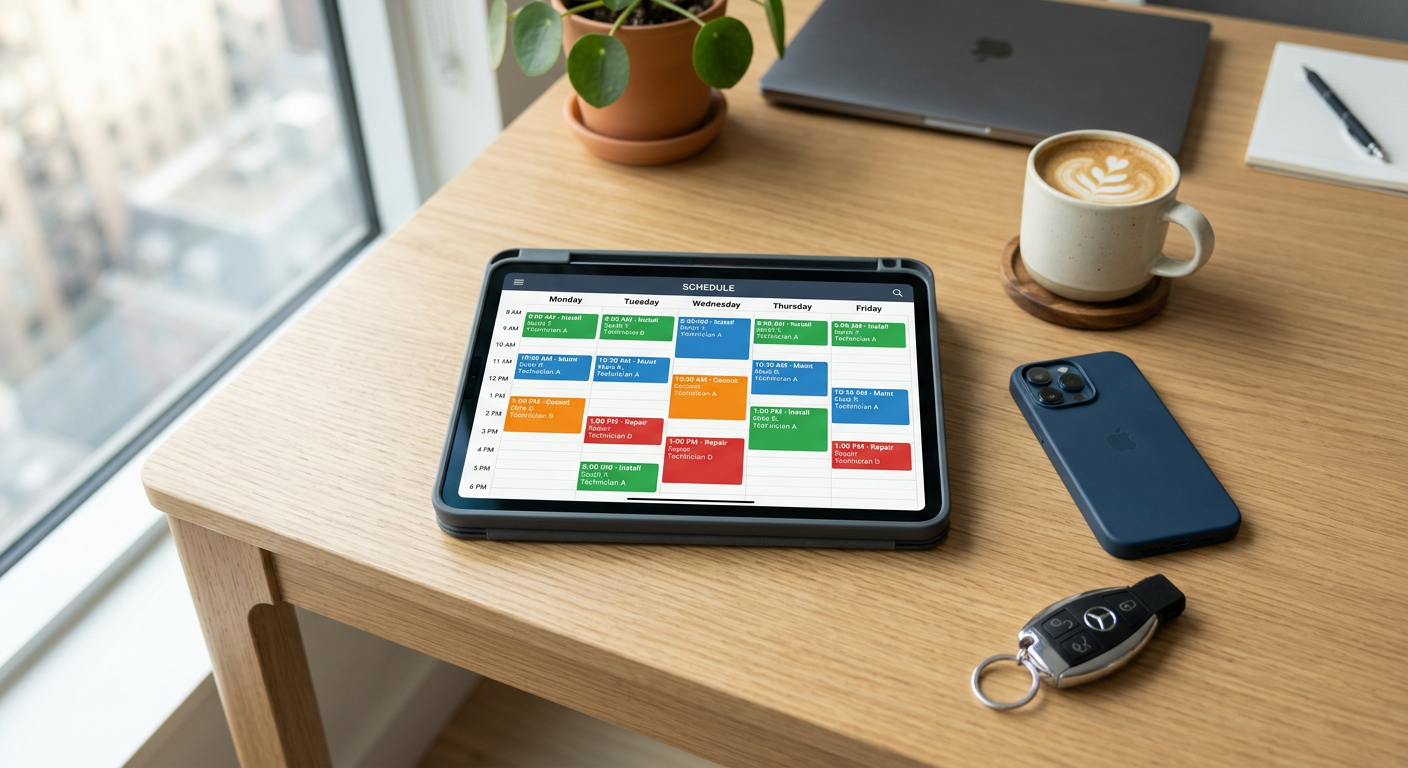
You automate scheduling and dispatch by integrating an AI-driven communication layer with your existing Field Service Management (FSM) software. This system captures inbound leads via phone, text, or web chat, qualifies the urgency of the request, and writes the appointment directly to your team's calendar based on real-time technician availability and proximity. A human dispatcher or office manager remains in the loop to review high-priority tickets and oversee the daily schedule.
How does automated dispatching work in practice?
Automated dispatching works by using software to bridge the gap between a customer's request and your technician's mobile app without a manual data entry step. When a customer contacts your business, the AI identifies the service type, the location, and the urgency. It then cross-references this with your technicians' current locations and skill sets, proposing the most efficient route and time slot. This reduces the "dead time" between jobs and ensures the right person is sent to the right call.
For most service businesses, this looks like a voice or text agent that can handle the initial intake. Instead of a customer waiting for a call back to confirm a time, the system offers available slots immediately. Once the customer selects a time, the job is created in your FSM, and the technician receives a notification on their device. You maintain control by setting rules for which types of jobs can be auto-booked and which require a human to double-check the details.
What are the main benefits of automating your schedule?
The primary benefit of automating your schedule is the elimination of missed leads and the reduction of administrative overhead. When your office staff spends hours every day playing phone tag to confirm appointments, they aren't focusing on growing the business or handling complex customer issues. Automation ensures that every inquiry is met with an immediate response, which is often the deciding factor for a customer choosing between you and a competitor.
- 24/7 Availability: Appointments can be booked at 9:00 PM on a Sunday without an after-hours answering service.
- Reduced Travel Time: Dispatch logic groups jobs geographically, saving fuel and vehicle wear.
- Lead Capture: Every inbound signal is recorded, ensuring no one "falls through the cracks."
- Improved Customer Experience: Clients receive instant confirmation and status updates via text.
From the field: A Wisconsin HVAC client has seen these benefits firsthand. They achieved a 100% answer rate for inbound calls and zero missed leads since deployment. Specifically, no-heat emergencies are routed to the on-call technician in under 60 seconds, ensuring urgent repairs happen fast without a dispatcher having to manually intervene in the middle of the night.
Can AI handle complex scheduling rules?
AI can handle complex scheduling rules by following the specific logic you already use in your business, such as matching specific technicians to high-value jobs or prioritizing warranty work. You can program the system to understand that "Tech A" is certified for commercial boilers while "Tech B" only handles residential maintenance. The automation sits beside your existing tools and acts as an intelligent assistant that follows your exact playbook.
For businesses dealing with high volumes of paperwork, this logic extends to the back office. Just as you can automate purchase order matching to ensure your parts costs align with your quotes, you can automate the dispatch flow to ensure your labor costs are optimized. The goal is to remove the repetitive clicks and data entry that slow down your response time.
What are the common pitfalls of automated dispatch?
The biggest pitfall of automated dispatch is attempting to automate 100% of the process without human oversight. Service work is unpredictable; a "simple" furnace tune-up can turn into a four-hour repair. If your system is too rigid, it will overbook your technicians and lead to frustrated employees and customers. You must build in "buffer time" and allow for manual overrides when a job goes sideways.
Another common mistake is failing to sync the automation with your real-time inventory or technician parts-on-hand. There is no value in dispatching a technician to a repair if they don't have the necessary components in their van. Successful business automations account for these variables by checking technician profiles and job requirements before confirming a booking.
Is my business the right fit for this?
Automated scheduling is a fit for businesses that handle a high volume of repeatable service calls and have at least 5 technicians in the field. If your jobs are highly custom, last several days, or require extensive pre-inspection, full dispatch automation might be overkill. However, even in those cases, automating the initial lead intake and qualification is still highly valuable.
| Feature | Good Fit for Automation | Better for Manual Dispatch |
|---|---|---|
| Job Type | Maintenance, emergency repairs, quotes | Large-scale construction, custom installs |
| Duration | 1–4 hours | Multi-day projects |
| Lead Source | Web, phone, social media | Complex RFP responses |
| Tech Skills | Standardized certifications | Highly specialized, rare expertise |
How do you get started without breaking your current system?
You get started by automating one specific channel first, such as your website chat or your after-hours phone line. You don't need to replace your entire office staff or your CRM overnight. The most effective approach is to place the automation "on top" of your current software. This allows the AI to gather information and present it to your team in a format they already recognize.
For example, in property management, we have seen Penkert Properties manage 350+ leasing inquiries a month by routing them in under 60 seconds. This didn't require them to change their core management software; it just changed how they handled the incoming traffic. By starting small, you can prove the value and ensure the logic is sound before expanding it to your entire fleet.
If you are unsure where the bottlenecks are in your current dispatch process, I can help you map it out. We look at where you are losing time and where leads are dropping off. Every business is different, and we only recommend tools that will actually move the needle for your operations.
By Jon Pfeiffer, Founder of Pfeiffer Digital
Jon Pfeiffer is the founder of Pfeiffer Digital in Oconomowoc, Wisconsin. Before that he led partnerships and customer success at StellarAlgo, a data platform for pro sports teams, and OwnBackup, and ran customer success and sales at Quicket Solutions.
Frequently Asked Questions
How do I start automating my dispatch process?
Automating dispatch involves connecting an AI communication tool to your Field Service Management (FSM) software. The AI handles the initial intake from phone calls or texts, checks your technicians' live schedules, and books the appointment directly into your system based on availability and location.
Can AI handle my specific scheduling rules?
Yes, AI can be programmed with your specific business rules. You can set it to only book certain technicians for specific zip codes, prioritize emergency 'no-heat' calls, or ensure that only senior techs are assigned to complex commercial jobs. You maintain control over the logic.
Will I need to replace my existing FSM software?
Most modern AI dispatch tools are designed to sit on top of popular Field Service Management (FSM) platforms. They read and write data to your existing calendar, so you don't have to switch your primary software or retrain your team on a new CRM.
What types of jobs should I NOT automate?
Automation is most effective for high-volume, repeatable service calls like maintenance, diagnostics, and emergency repairs. It is generally not the right fit for multi-day custom construction projects or jobs that require a complex, manual bid process before a date can be set.