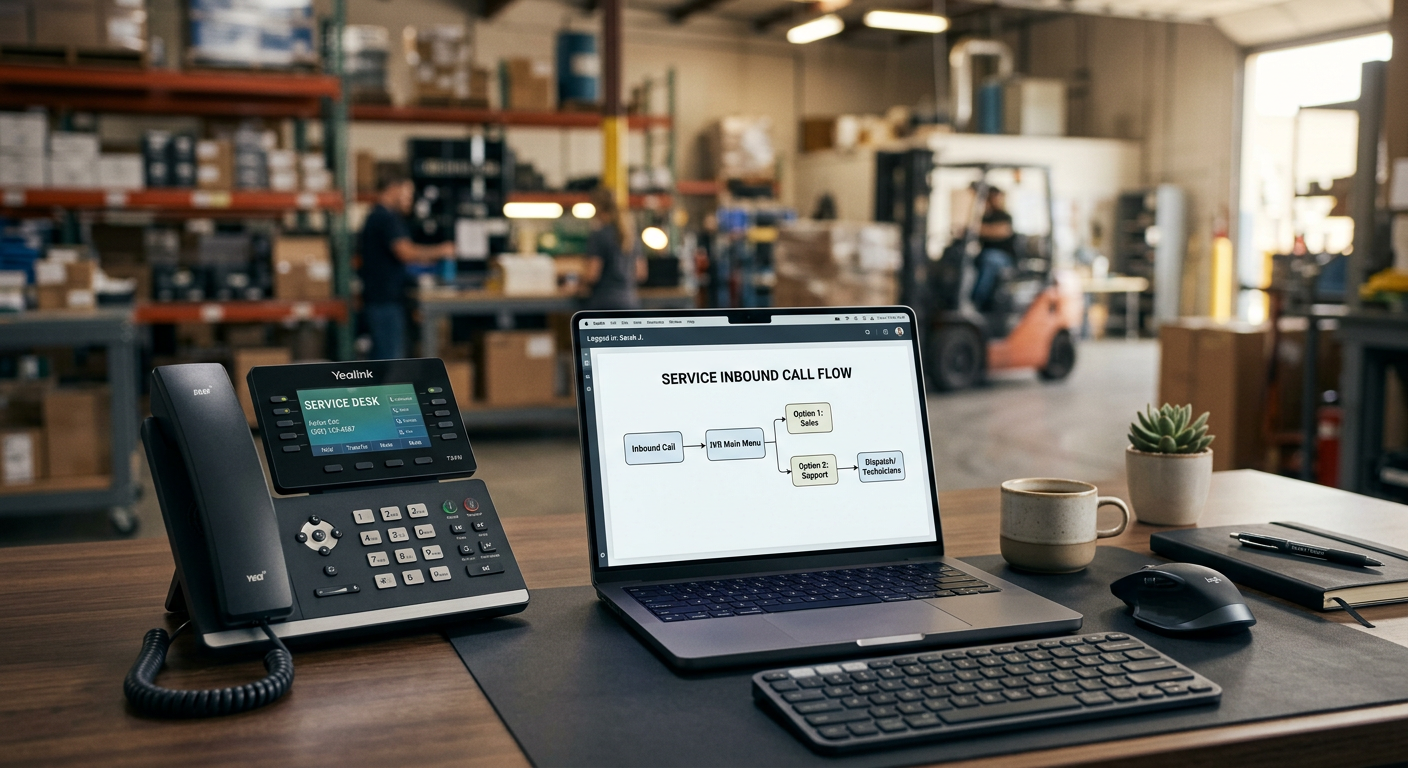
An AI receptionist works with your existing phone number by using call forwarding or a direct integration with your current VoIP provider. You do not need to change your business number or print new marketing materials to use this technology. You simply route calls to the AI assistant during business hours, after hours, or when your staff is unavailable to answer.
See how our AI receptionist for small business answers calls and sends your team the details.
How does the connection to my current number actually work?
Connecting an AI receptionist to your current phone system is done through standard call forwarding or a SIP (Session Initiation Protocol) transfer. Most service businesses use a "Conditional Call Forwarding" setup where the call rings your office first and only routes to the AI if the line is busy or unanswered after a set number of rings. This ensures your team still has the first chance to talk to customers, while the AI acts as a reliable safety net.
If you prefer the AI to handle all initial inquiries—such as basic scheduling or service intake—you can set up "Unconditional Call Forwarding." In this scenario, every call to your main business line goes straight to the voice agents, which then qualify the lead or book the appointment before notifying your team. Because the AI sits on a separate "routing number" provided by the service, your primary business identity remains unchanged in the eyes of the customer and the carrier.
Do I need to buy new hardware or install software?
No new hardware or physical desk phones are required to run an AI receptionist on your existing number. Since these systems are cloud-based, the "work" happens in the cloud before the call ever reaches your physical location. You can continue using your current landlines, cell phones, or VoIP handsets exactly as you do today.
The setup process usually involves a few clicks in your phone provider's online portal (like RingCentral, Vonage, or Comcast Business). You are essentially telling your provider: "If I don't answer, send the caller to this specific routing address." The AI answers, handles the request, and sends the data back to your email, CRM, or dispatch software. This prevents the friction of managing a new set of hardware for your office manager or technicians.
What happens when the AI needs to transfer a call back to me?
When an AI receptionist identifies a high-priority call, it can "live transfer" that caller back to your existing office line or a specific technician's mobile phone. The AI puts the caller on a brief hold, dials your number, and connects the two parties seamlessly. To the customer, it feels like a standard professional transfer from a front-desk staff member.
This is particularly useful for emergency service calls in trades like HVAC or plumbing. If a caller reports a burst pipe or a total system failure, the AI is programmed to recognize those keywords and immediately bridge the call to your on-call personnel. If no one picks up the transfer, the AI can take a detailed message and immediately send a text notification to the entire team, ensuring the lead isn't lost to a competitor.
Will my outbound caller ID still show my business number?
Yes, most AI receptionist platforms allow for "number spoofing" or "verified caller ID," which ensures that any outbound calls or texts made by the system display your primary business name and number. This is critical for maintaining trust. Customers are much more likely to answer a call or read a text if they recognize the number from your website or truck wraps.
Maintaining a consistent caller ID also prevents your business from being flagged as spam by mobile carriers. When the AI follows up to confirm an appointment or request a review, it uses the same digital identity as your human staff. This creates a unified experience for the customer from the first call to the final invoice.
Common ways to route calls to AI
| Routing Type | How It Works | Best For |
|---|---|---|
| Conditional Forwarding | Rings office first; AI answers if busy or no answer. | Small teams who want to answer their own phones but miss calls. |
| Unconditional Forwarding | All calls go directly to the AI first. | High-volume shops or property managers who need 100% lead qualification. |
| After-Hours Forwarding | AI only answers during set times (nights/weekends). | Eliminating expensive after-hours answering services. |
| Interactive Menu (IVR) | Caller presses "1" for sales, which goes to AI for intake. | Businesses that want to filter out billing or existing parts orders. |
Where does an AI receptionist fail to work with your number?
The primary limitation is with old-fashioned copper-wire landlines that do not support modern call forwarding features. If your phone system is strictly "analog" and managed by a local utility with no digital dashboard, you may have difficulty routing calls dynamically. In these rare cases, you might need to port your number to a low-cost VoIP provider first before the AI can sit on top of it.
Another challenge occurs if your business relies heavily on an existing "Auto-Attendant" (the "Press 1 for Sales" menu) that is poorly configured. If the AI is buried three layers deep in a phone tree, many customers will hang up before the AI ever has a chance to help them. For the best results, the AI should be the first or second point of contact, not a last resort buried in a complicated menu.
How does this integrate with my dispatch or leasing software?
The AI does not just sit on your phone line; it acts as a bridge to your system of record, such as Jobber, ServiceTitan, or AppFolio. When a call comes in on your existing number, the AI can look up the caller's phone number in your database to see if they are an existing customer with an open work order or a new prospect.
From the field: For a Wisconsin HVAC client, we deployed a system where 100% of inbound calls are answered, resulting in zero missed leads. When a "no-heat" emergency is detected, the system ensures the information reaches the on-call tech in under 60 seconds. This works seamlessly with their existing business lines and ensures that $400-$1,200 service tickets don't go to the shop down the street just because the office was closed. You can read more about how these systems interact with industry tools in our guide on how AI works with ServiceTitan.
What should a business owner check before starting?
Before implementing an AI receptionist, verify that you have administrative access to your phone service provider's online portal. You will need to be able to set forwarding rules or provide a "SIP trunk" credential to the AI provider. If you are locked out of your phone account or don't know who manages your telecom, that is the first hurdle to clear.
Next, consider your "rollover" logic. If you have five lines that roll over to one another, you need to decide if the AI should catch the call only after the fifth line rings out, or if it should handle the overflow immediately when the first two lines are busy. Mapping this out on paper helps ensure the AI supports your team rather than getting in their way.
By Jon Pfeiffer, Founder of Pfeiffer Digital
Jon Pfeiffer is the founder of Pfeiffer Digital in Oconomowoc, Wisconsin. Before that he led partnerships and customer success at StellarAlgo, a data platform for pro sports teams, and OwnBackup, and ran customer success and sales at Quicket Solutions.
Get your free AI auditFrequently Asked Questions
Can the AI receptionist only answer when I'm closed?
Yes, you can set the AI to answer only after-hours, on weekends, or when your office staff is busy. This is called 'Conditional Call Forwarding' and ensures your team stays in control during the day while the AI catches the leads that would otherwise go to voicemail at night.
Do I need to switch phone carriers to use AI?
In most cases, no. Modern AI receptionists are cloud-based and work with your existing VoIP or digital phone provider. If you have an extremely old analog landline, you might need to upgrade to a digital service first, but you can almost always keep the same phone number during that process.
Can the AI transfer a caller to my cell phone?
Yes. If a caller has an emergency or a complex question, the AI can 'bridge' or 'live transfer' the call directly to your cell phone or office line. To the customer, it sounds like a professional receptionist saying, 'Let me connect you with a technician.'