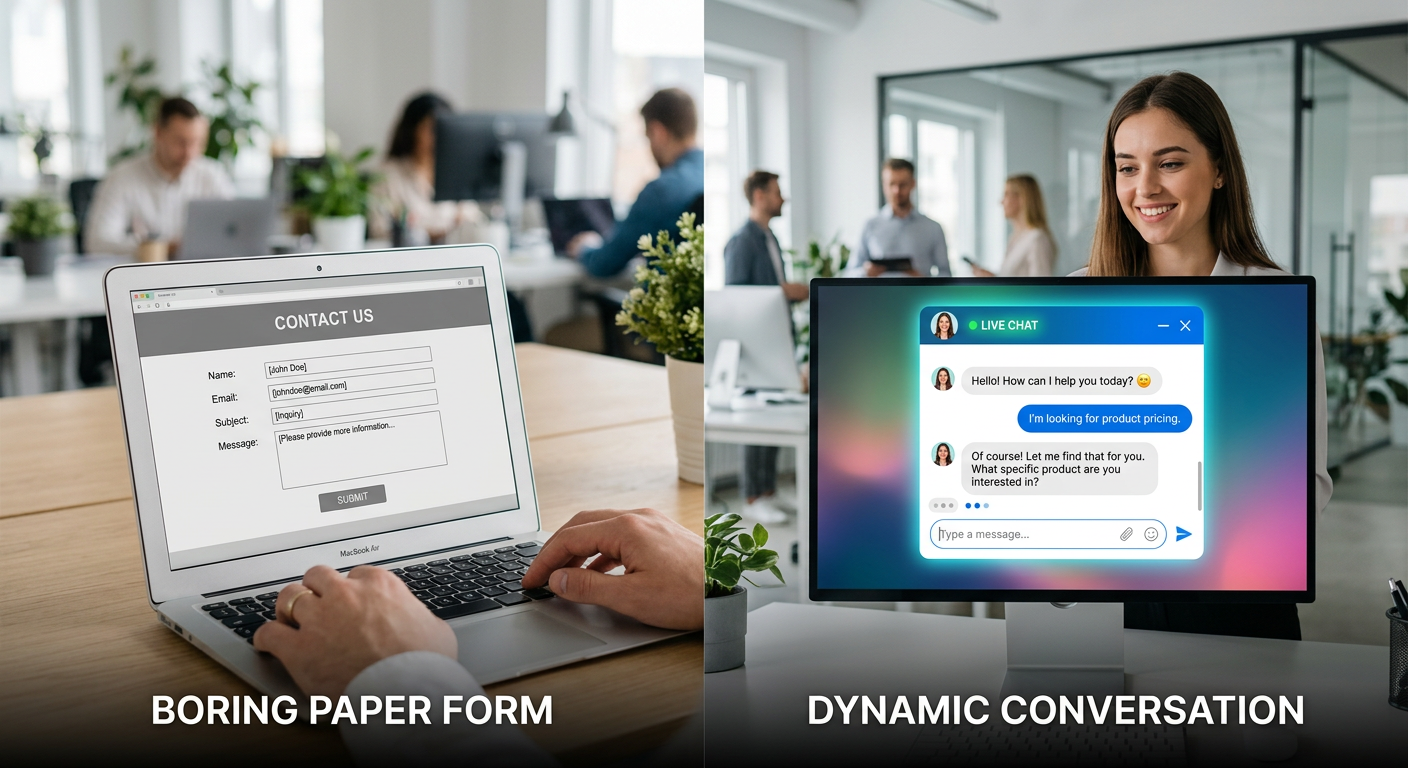
Chatbots capture more leads than contact forms because they engage visitors in real-time, preventing them from leaving for a competitor's site. While a contact form is a static barrier that requires a user to wait for a response, an AI chatbot provides immediate answers and qualifies the lead while their intent is at its highest. In service industries like HVAC and property management, this speed often makes the difference between winning a job and being ignored.
Why do contact forms fail to convert?
Contact forms fail because they place the burden of waiting on the customer, who usually needs help immediately. When a homeowner has a leaking pipe or a broken furnace, they are not looking for a "we will get back to you in 24 hours" confirmation email. They are looking for a solution. If your site only offers a form, that visitor will likely hit the back button and click the next search result until they find someone who answers.
Forms also suffer from a lack of context. A potential customer might have a simple question about your service area or emergency fees. If they have to fill out a six-field form just to get that answer, they won't do it. High friction leads to high abandonment. By contrast, chatbots remove this friction by offering a low-stakes way to start a conversation without the commitment of a formal submission.
How does a chatbot increase the lead count?
Chatbots increase lead counts by initiating the conversation rather than waiting for the user to take the first step. Most website visitors are "window shopping." They browse your services and your about page, but they aren't yet ready to commit to a phone call or a long form. A proactive chat bubble that asks, "Do you have a question about our maintenance plans?" can pull those passive browsers into a lead funnel.
For service businesses, the average HVAC ticket ranges from $400 to $1,200. Losing just one or two of these leads a month because a contact form felt like too much work is a significant hit to the bottom line. A chatbot captures the name, phone number, and specific issue in a natural dialogue, which feels less like paperwork and more like service.
- Instant Gratification: Users get answers to basic FAQs immediately.
- 24/7 Availability: Leads are captured at 9:00 PM on a Sunday when your office is closed.
- Reduced Friction: One question at a time is easier to answer than a full page of boxes.
- Automatic Qualification: The bot can filter out people outside your service area before you ever spend time on the phone.
Does a chatbot replace the contact form entirely?
No, you should not remove your contact form, but you should treat it as a secondary option for users who prefer traditional communication. Some customers, particularly in professional services, may want to send a detailed message or upload a document that isn't suited for a chat interface. However, for the majority of new inquiries, the chatbot should be the primary engagement tool.
From the field: We helped a Wisconsin property manager deploy a system that captured 350+ qualified leads per month. These leads weren't just sitting in an inbox; the system routed them to the correct property manager in under 60 seconds. This level of speed is impossible with a standard contact form that relies on a human to check their email and manually forward the message.
What are the limitations of using a chatbot?
A chatbot is only as good as the logic and data behind it; a poorly configured bot that provides "I don't understand" loops will frustrate customers more than a form ever could. If your bot cannot actually solve a problem or book an appointment, it becomes a gimmick. Furthermore, if you are in a high-compliance industry, you must ensure the bot doesn't give advice it isn't licensed to provide.
Another trade-off is the "human touch." While AI has improved significantly, some customers still feel a sense of frustration if they realize they aren't talking to a person—especially if their issue is complex or emotional. This is why we recommend systems that sit beside existing tools, ensuring a human can step in when the AI reaches its limit. You can read more about how this works for getting more leads from existing website traffic.
What should you look for in a lead-capture bot?
The most effective bots for service businesses are those that integrate with your existing software, such as your CRM or scheduling tool. You don't want a bot that just emails you a transcript; you want a bot that checks your real-time availability and puts the lead directly onto your calendar. For property managers, this might mean a read-only integration with tools like Rent Manager to ensure the bot knows which units are actually available.
| Feature | Contact Form | AI Chatbot |
|---|---|---|
| Response Time | Hours to Days | Instant |
| Lead Qualification | Manual Review | Automated |
| User Preference | Low (Friction) | High (Convenience) |
| Data Entry | Manual | Automated CRM Sync |
How does this work for trades and property management?
For an HVAC operator, a chatbot acts as a digital dispatcher. It can ask if the caller has a "no heat" emergency or just needs a routine tune-up. If it's an emergency, the system can escalate that information immediately. In property management, the bot handles the "Is this unit still available?" questions that normally eat up hours of a leasing agent's day. By the time a human looks at the lead, the bot has already confirmed the prospect's budget, move-in date, and pet status.
By shifting the first point of contact to an AI agent, business owners typically see 4-10 hours per week recovered per person on back-office workflows. This isn't about replacing staff; it's about removing the repetitive, low-value data entry tasks so your team can focus on closing deals and serving customers.
If you are tired of seeing potential customers land on your site only to leave without a trace, it is time to look at your conversion tools. A contact form is a bucket with holes; a chatbot is a net.
By Jon Pfeiffer, Founder of Pfeiffer Digital
Jon Pfeiffer is the founder of Pfeiffer Digital and has led engineering and product teams for brands like Disney, Amazon, and the NBA.
Frequently Asked Questions
Do chatbots really convert better than forms?
AI chatbots generally capture more leads because they provide instant engagement. Most website visitors leave if they don't get an immediate answer. A chatbot qualifies the lead and answers basic questions in real-time, whereas a contact form forces the user to wait, often leading them to contact a competitor instead.
Should I replace my contact form with a chatbot?
While you don't have to remove your contact form, it should not be your only method of capture. Some users still prefer forms for long-form messages, but the majority of modern users—especially those on mobile—prefer the quick, interactive nature of a chat interface for initial inquiries.
What features should a lead-capture bot have?
A lead-capture chatbot for a service business should be able to answer basic FAQs, qualify leads based on service area or budget, and ideally integrate with your calendar to book appointments. It should also have a clear way to hand off the conversation to a human if the query becomes too complex.