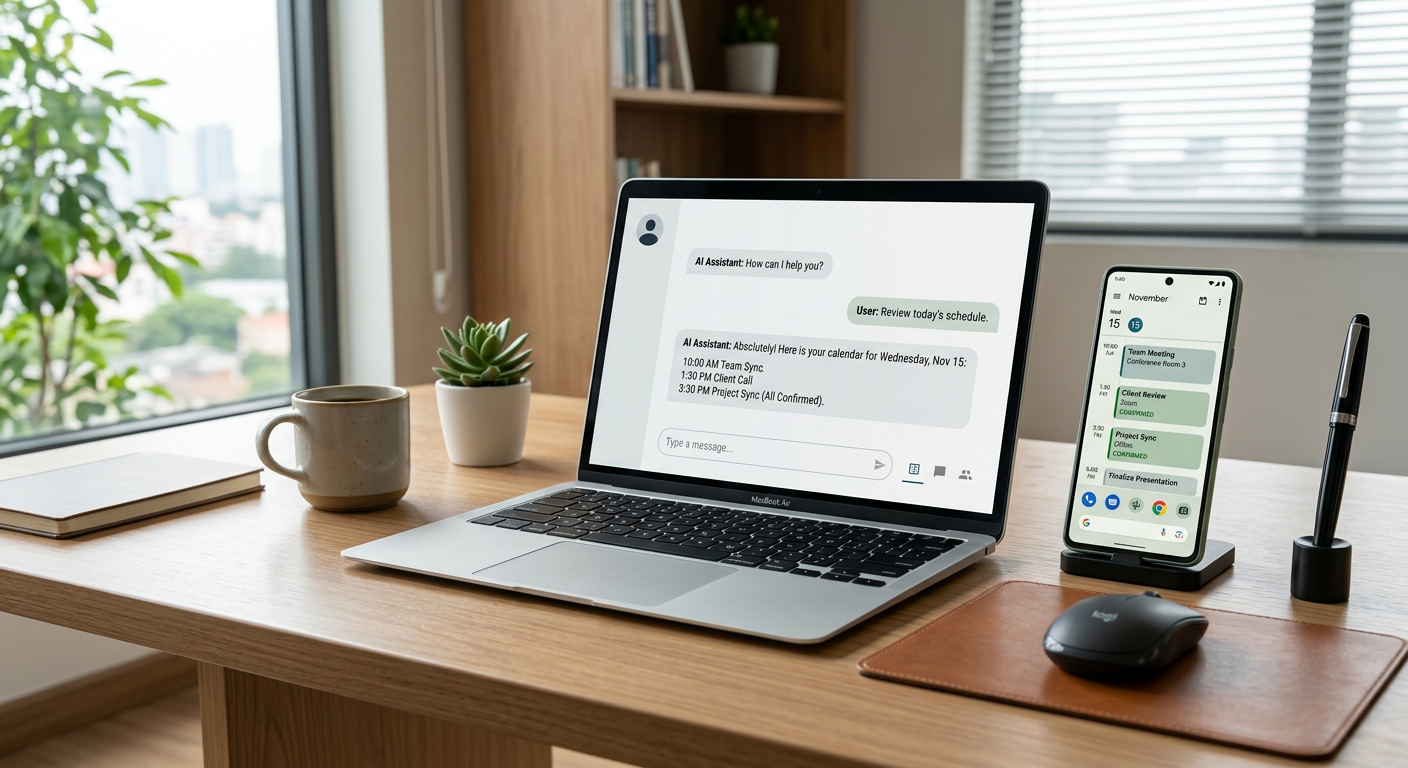
Yes, a chatbot can book appointments directly into your calendar by integrating with scheduling tools like Calendly, Google Calendar, or Microsoft Outlook. These agents check your real-time availability, offer open slots to the lead, and instantly create the calendar event without any human intervention.
How does the calendar integration actually work?
Modern AI chatbots connect to your scheduling software using an API (Application Programming Interface) to read and write data in real-time. When a customer expresses interest in a service, the chatbot queries your calendar for available times based on rules you set, such as buffer times or specific working hours. Once the customer selects a slot, the chatbot gathers their contact details and pushes the appointment into your calendar, often sending a confirmation email or text simultaneously.
For service businesses, this means you are no longer playing phone tag to find a time that works for everyone. If you use tools like custom AI chatbots, the bot can even qualify the lead before showing the calendar. For example, it can ask about the type of repair needed or the location of the property to ensure the lead is actually a fit for your service area before they take up a spot on your technician's schedule.
Can it handle complex scheduling for different technicians?
Chatbots can manage complex routing by using "round-robin" logic or assigning leads based on specific criteria like zip code or service type. If you have five HVAC technicians, the system can be configured to check all five calendars and offer the next available slot across the entire team, or prioritize a specific lead technician for certain high-value jobs.
In property management, this is particularly useful for showings. Instead of a leasing agent manually coordinating with five different prospects, the bot presents the open windows. From the field: One Wisconsin property manager used this type of logic to capture 350+ qualified leads per month and route them to the correct manager in under 60 seconds.
What are the common pitfalls of automated booking?
The most common issue with automated booking is "calendar clutter," where unqualified leads or "window shoppers" take up valuable time slots that could have gone to paying customers. To prevent this, you should never link a chatbot directly to your calendar without a qualification layer. The bot must ask two or three deal-breaker questions first—such as "Are you the homeowner?" or "Is this an emergency?"—before the "Book Now" option is ever triggered.
Another risk is technical lag. If your chatbot isn't checking your calendar in real-time, you risk double-booking a slot. You must ensure the integration uses a "live" sync rather than a cached version of your schedule. This is why we focus on systems that sit beside your existing tools and pull data directly from the source of truth.
Recommended Checklist for Chatbot Booking
- Real-time sync with Google, Outlook, or iCloud calendars.
- Pre-qualification questions to filter out non-serviceable leads.
- Buffer times between appointments to allow for travel and notes.
- Automated SMS and email reminders to reduce no-shows.
- Ability for the user to cancel or reschedule through the same interface.
Does it work for emergency service calls?
For true emergencies, a chatbot should typically skip the calendar and trigger an immediate escalation to a human. While a chatbot can technically "book" a slot for an emergency, most trades businesses prefer a more direct route for high-stakes situations. In these cases, the AI identifies the urgency of the request and notifies the on-call staff immediately.
We have seen this work effectively in the HVAC space. For a Wisconsin HVAC client, their AI receptionist answers 100% of inbound calls, ensuring no leads are missed. When a "no-heat" emergency is identified, the system bypasses standard booking and reaches the on-call technician in under 60 seconds. This ensures that while standard maintenance can be booked on a calendar, life-safety issues get a human response instantly.
What information does the chatbot collect before booking?
The chatbot should collect enough information to make the appointment useful but not so much that the customer drops off. At a minimum, you need the customer's name, phone number, email, and a brief description of the problem. For service companies, adding a field for the property address is essential to ensure the job is within your service radius.
| Information Type | Why It Matters |
|---|---|
| Contact Info | Required for reminders and follow-up. |
| Service Type | Ensures the right technician is assigned. |
| Address/Location | Validates the lead is in your service area. |
| Urgency Level | Determines if it’s a standard booking or an emergency. |
Will this replace my office manager or dispatcher?
No, an AI booking system is a tool to help your staff, not a replacement for them. It handles the repetitive "administrative" task of looking at a calendar and typing in names, which frees up your office staff to handle more complex customer service issues or follow up on quotes. Most operators find that their team recovers 4-10 hours per week per person when they stop acting as manual data-entry clerks for the calendar.
If you are curious about how these systems integrate with your specific industry, you can read more about common use cases in our AI answers section. The goal is to have the AI handle the 80% of routine requests so your humans can focus on the 20% that require empathy and expert judgment.
How do I know if my business is ready for this?
You are ready for automated booking if you are currently losing leads because you can't answer the phone or reply to messages fast enough. In the trades, an average HVAC service ticket is between $400 and $1,200. If you miss just two calls a week because your staff is busy or it's after hours, that is thousands of dollars in lost revenue every month. A chatbot that books directly into your calendar ensures that even if a lead finds you at 10:00 PM on a Sunday, they are on your schedule by 10:01 PM.
If you want to see exactly where your business could benefit from this without the fluff, I'm happy to help. Get your free AI audit. It is a 30-minute call where we look at your current workflow. If a chatbot isn't the right fit for your specific team size or volume, I will tell you exactly that.
By Jon Pfeiffer, Founder of Pfeiffer Digital
Jon Pfeiffer founded Pfeiffer Digital after leading engineering and product teams for brands like Disney and Amazon to help small business owners apply enterprise-grade automation to their daily operations.
Frequently Asked Questions
How does a chatbot know when I am available?
A chatbot uses an API to connect with your scheduling software (like Calendly or Google Calendar). It reads your open time slots and, once a user selects one, writes the new event back to your calendar. This happens in real-time to prevent double-booking.
How do I stop unqualified leads from booking my time?
The best way to avoid junk appointments is to require the chatbot to ask qualification questions before showing the calendar. For example, if the lead isn't in your service area or doesn't own the property, the bot can politely decline the booking and offer an alternative contact method instead.
What calendars are compatible with chatbots?
Most modern AI chatbots are compatible with the major calendar platforms, including Google Calendar, Microsoft Outlook/Office 365, and iCloud, as well as third-party scheduling tools like Calendly or Acuity.